Login
Once registered, you can log in from any device.
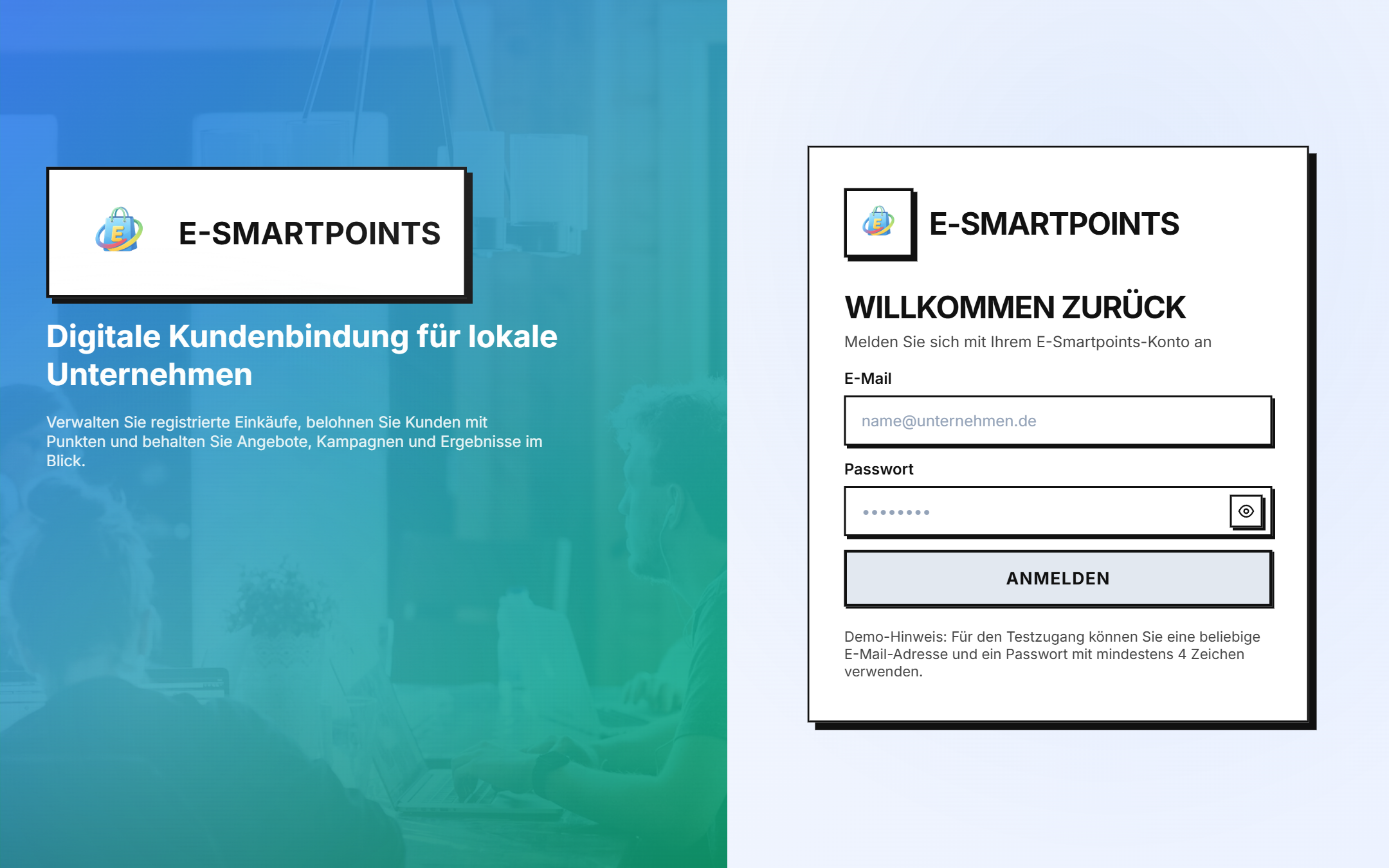
Access
The login screen is available at:
https://login.e-smartpoints.de/login
Or also from the application's /login path.
Credentials
Enter:
- E-Mail: the email address with which you registered
- Passwort: your password
And click on "Anmelden".
##Demo account
If you just want to explore the platform, you can use the demo account shown at the bottom of the form:
💡 Demo-Hinweis: For the Testzugang können Sie eine beliebige E-Mail-Adresse und ein Password mit mindestens 4 Zeichen verwenden.
This allows you to enter the dashboard without having to register.
Forgot your password?
If you don't remember your password:
- Click on the link "Passwort vergessen" below the login form
- Enter your registered email
- You will receive an email with a link to reset your password
- Follow the link and create a new password (minimum 8 characters)
- Sign in with your new password
Change language
In the upper right corner of the login screen you can change the interface language:
- 🇩🇪 Deutsch (German) — default language
- 🇪🇸 Spanish
- 🇬🇧 English
##Login issues
| Problema | Solución |
|---|---|
| "Email o contraseña incorrectos" | Verifica que el email esté bien escrito y la contraseña sea correcta |
| "Cuenta no activada" | Revisa tu email y haz clic en el enlace de activación |
| "Demasiados intentos" | Espera 5 minutos y vuelve a intentar |
| "Cuenta bloqueada" | Contacta a soporte |
Next steps
Once inside, you will discover your personal dashboard →.