Demo Marketing
#DemoMarketing
The Demo Marketing module is the heart of E-Smartpoints' marketing tools. It allows you to create professional content for your social networks with the help of AI.
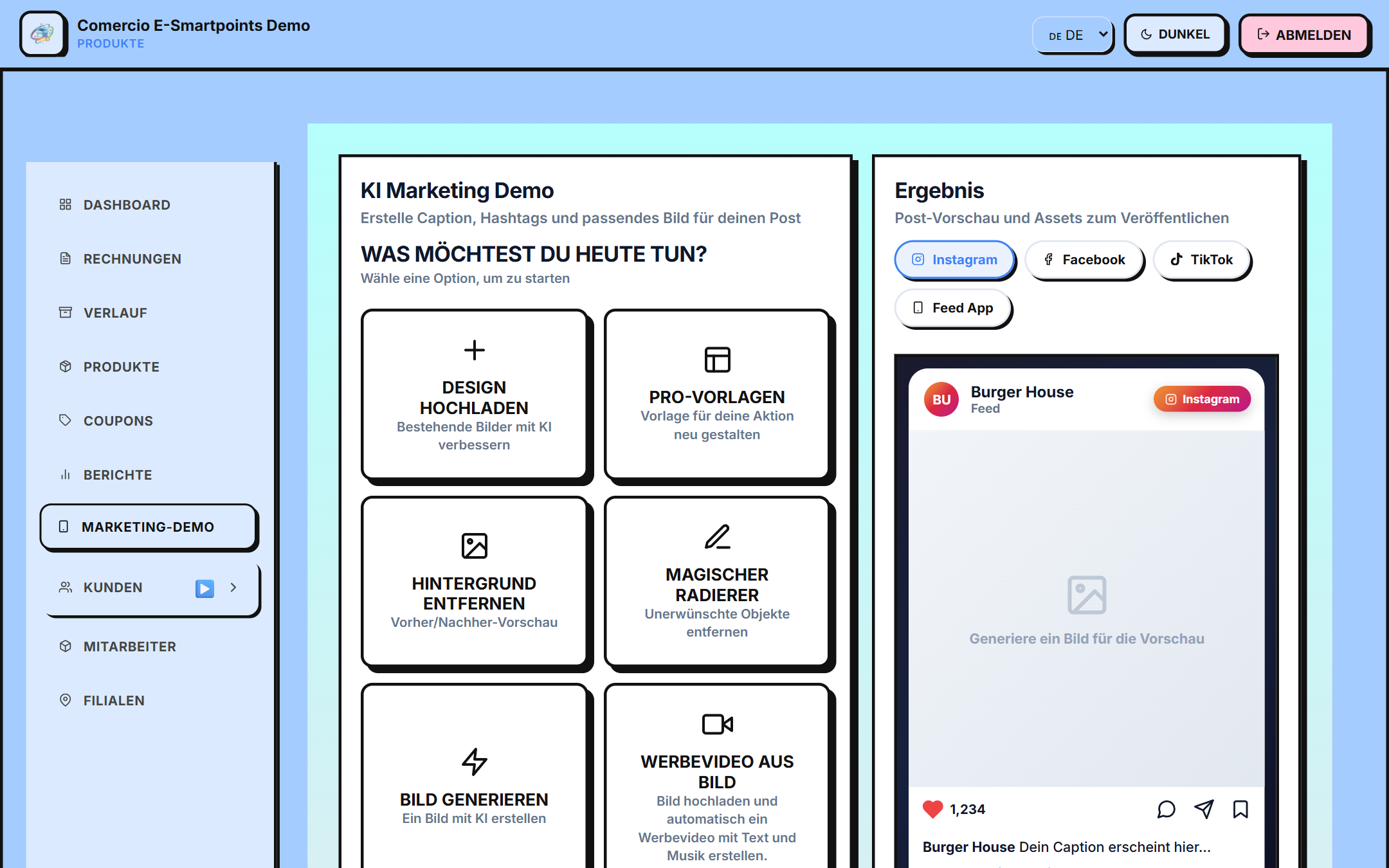
Access
/app/demo-marketing
Quick Actions
The main screen has 4 quick actions:
📤 Upload image
Upload an image of your product to use as a reference for AI content generation. The image is processed and used as a basis to generate ads, videos and more.
🎨 Use templates (Orshot)
Use Orshot studio templates to generate professional, branded designs:
- 🍽️ Gastronomy
- 👗 Fashion
- 💄 Beauty
- 🏠 Home
- ⚡ Quick campaigns
- 🛠️ Services
- 💻 Technology
🤖 AI Generator
Generate a full ad with AI:
- Choose the type (square post, vertical story, banner, app feed)
- Describe your product and business
- Select the visual style (more than 30 formats per category)
- Select the promotional text (in German)
- AI generates: - 📝 Ad text (caption + hashtags) - 🖼️ Advertising image with integrated German text
Models used: OpenAI (gpt-image-1.5), Gemini (gemini-3.1-flash-image-preview) and Fal.ai (Recraft v3) with auto rotation
🎬 Create video
Convert an image into a short advertising video with animations and overlay text.
Used models:
- Gemini (
veo-3.1-generate-preview) — 15s video with voice, text and branded endcard - Fal.ai (Pixverse v6 or LTX 2.3 Fast) — 5s UGC-style video for social networks
AI tools
🎨 Remove background (Poof)
Remove the background from your product photos:
- Upload an image
- Poof service processes the image
- Receive the product without a background (transparent PNG)
- Download the result
✨ Add object (Object AI)
Add elements to your photos:
- Upload a base image
- Describe which object to add
- Position, size, style
- AI integrates it naturally
📢 Generate ad (Ad AI)
Create a complete ad:
- Describe your business
- Select the platform (Instagram, Facebook, TikTok)
- Choose the tone (professional, casual, fun)
- AI generates copy + image
Publish to the app Feed
AI-generated content can be published directly to the Feed of the E-Smartpoints mobile app:
- Generate or upload your content (image or video)
- Click Post to Feed
- Content is uploaded to Cloudinary (cloud storage)
- Saved as a feed in the backend via
POST /api/feeds/save - Customers see content in the Discover section of the mobile app
Feed Types
- 📅 DAY — content of the day
- 📅 WEEK — weekly content
- 📅 MONTH — monthly content
Each feed can include:
- Image or video (uploaded to Cloudinary)
- Description
- Short label (badge, max. 15 characters)
Complete flow of a campaign
- Create the content (with templates or AI)
- Preview on each platform (Instagram, Facebook, TikTok, Feed App)
- Download or post to Feed of the app
- Measure results
Next steps
- Discover all AI tools →