Branches (Subsidiaries)
The branch module allows you to manage multiple locations of your business from a single account.
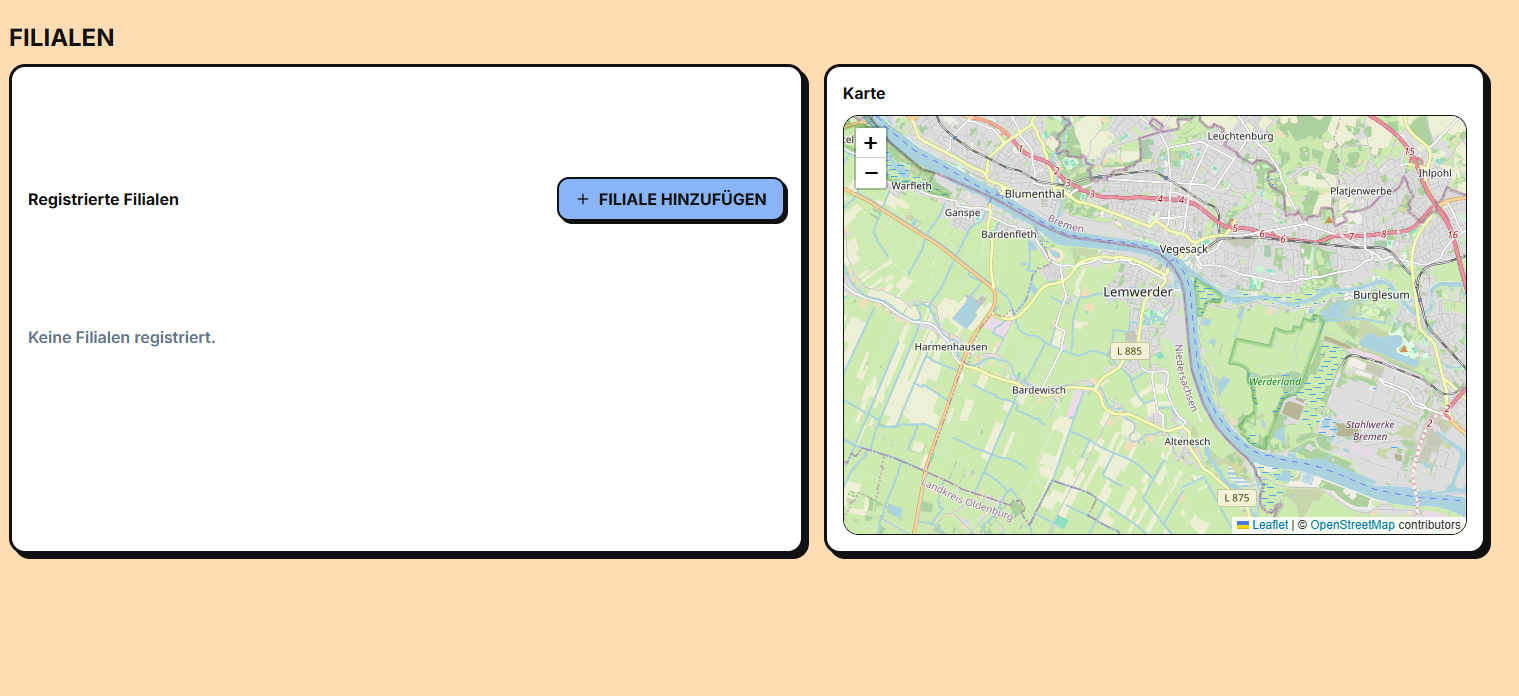
Access
/app/filialen
Map view
The main screen shows an interactive map with all your branches marked:
- 🟢 Green: branch online/active
- ⚪ Gray: branch offline/inactive
- 📍 Click on a branch to see details
Side List
To the right of the map you will see a list of all your branches with:
- 🟢 Status indicator (online/offline)
- 🏪 Name of the branch
- 📍 Address
- ✏️ Edit button
Add a new branch
- Click on "Neue Filiale" (top corner)
- A 3-step form opens:
Step 1: Basic information
- Name of the branch (e.g. "North Branch")
- Address complete
- Phone and WhatsApp
- Contact Email
Step 2: Schedules
Set business hours:
| Día | Horario |
|---|---|
| Lunes a Viernes | 09:00 - 20:00 |
| Sábado | 10:00 - 18:00 |
| Domingo | Cerrado |
| Días feriados | Configuración especial |
Step 3: Location
- 📍 Enter the address and it will auto-complete with Google Maps
- Or enter the coordinates (latitude/longitude) directly
- Confirm with a marker on the map
- Click "Speichern" to save
Edit a branch
- Click the branch on the map or list
- A modal opens with the current data
- Modify what you need
- Save
Delete a branch
- Open the branch
- Click "Löschen"
- Confirm
- Note: past sales of that branch are kept in history
Set online/offline status
Branches can have states:
- 🟢 Online: accept clients and sales
- 🟡 Under maintenance: does not accept new clients
- ⚪ Offline: temporarily closed
To change the status:
- Open the branch
- Change the Status toggle
- Save
Geolocation
E-Smartpoints uses branch locations to:
- 📍 Show map of locations
- 🗺️ Allow customers to find you nearby
- 📊 Calculate distances and suggest to nearby clients
- 🚚 Calculate shipping costs (coming soon)
Multi-tenant
If you have several branches, the system is multi-tenant:
- 📊 Each branch has its own metrics
- 💰 Each branch can have its own products and prices
- 👥 clients are shared between branches
- 📈 reports can be per branch or consolidated
Next steps
- Learn about billing →