My QR code
Your personal QR code is your referral link on E-Smartpoints. Its only function is to invite new people to join the platform. When someone scans your QR, they are registered as your referral.
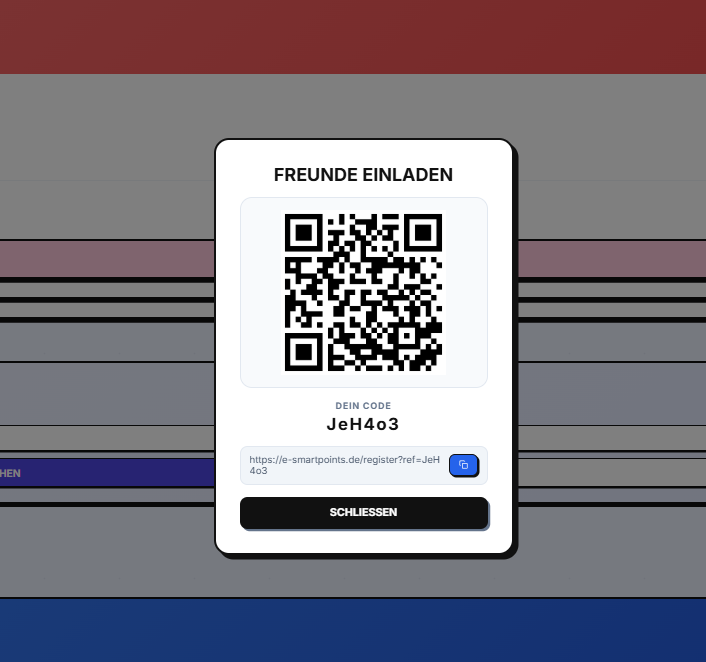
##How does it work?
- Your QR code contains your unique referral link
- Share with friends, family or contacts
- Whoever scans it is redirected to registration with your referral code
- By registering, you are linked as your referral
Where to find your QR
- Log in to your account
- Go to Dashboard (it should already be visible)
- Your QR code appears at the bottom of the dashboard
- You can also access it by clicking on "My QR" in the side menu
Share your code
You have 3 options to share your referral QR code:
| Acción | Descripción |
|---|---|
| 📤 Compartir | Comparte tu código vía WhatsApp, email o redes sociales |
| 💾 Guardar como imagen | Descarga el QR como imagen PNG para tenerlo en tu móvil |
| 🔗 Copiar enlace | Copia el enlace de referido para invitar amigos |
📤 Share on networks
- Click "Code teilen"
- Select the app (WhatsApp, Telegram, Email, etc.)
- A default message will be generated with your code
💾 Save as image
- Click on "Als Bild speichern"
- A PNG file with your QR will be downloaded
- Save it to your mobile gallery for offline access
🔗 Copy link
- Click "Code kopieren"
- The link is copied to the clipboard
- Paste it wherever you want (networks, email, SMS)
Referral program
When you share your code and someone signs up with it:
- 🎁 You receive bonus points
- 🎁 Your referral receives welcome points
- 📈Both level up faster
Important
The QR is only for referrals. It is not used for purchases, nor to accumulate points at the point of sale, nor to add products to the cart. Its only function is to invite new people to the platform.
Security
- Your QR is personal and non-transferable
- Share it only with people you trust
- If you suspect misuse, change your password immediately
Next steps
- Discover how coupons → work
- Understand the level system →