Commerce Dashboard
The dashboard is your control center where you can see all the metrics and quick actions of your business in one place.
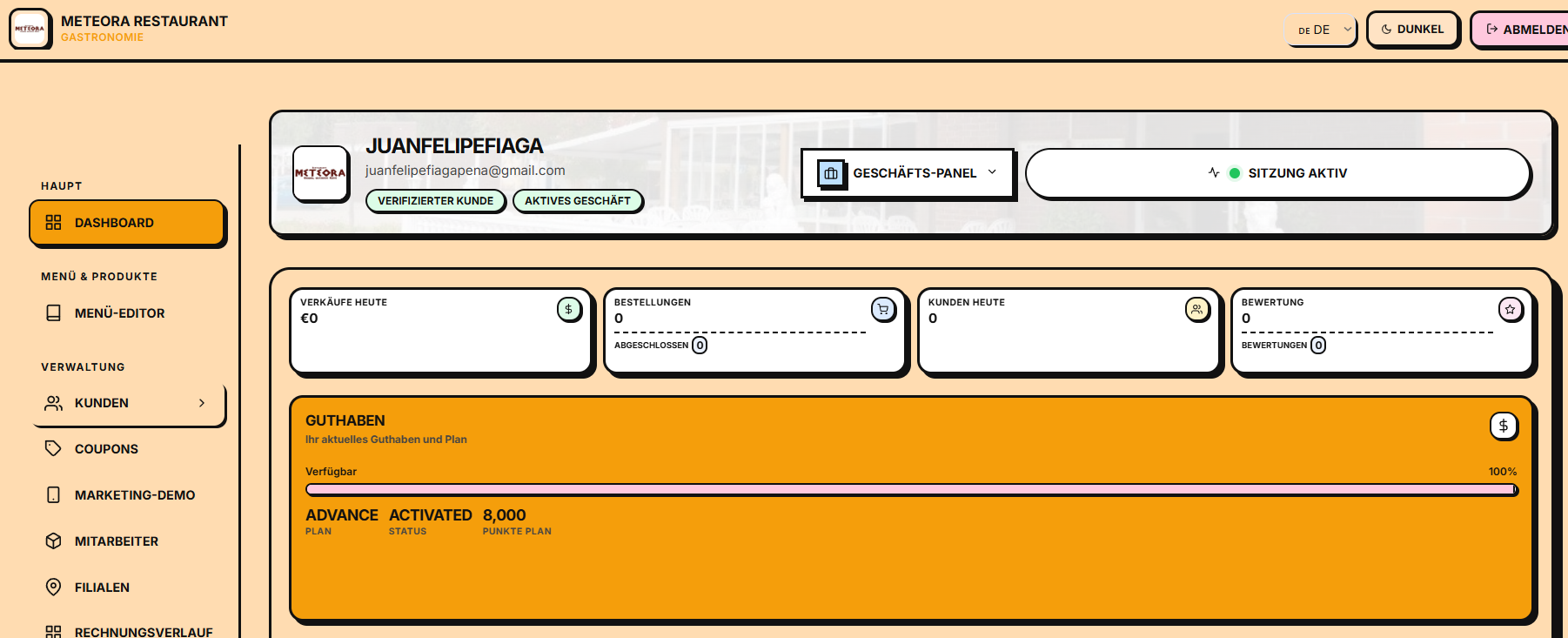
Access
Once logged in, the dashboard is available at:
https://app.e-smartpoints.de/app
Or just /app in the application.
Dashboard elements
📊 Top KPIs (top 4 cards)
| Métrica | Descripción |
|---|---|
| 💰 Verkäufe heute | Ventas totales del día (€) con comparación vs. ayer |
| 📋 Bestellungen | Número de pedidos/operaciones del día |
| 👥 Neue Kunden | Clientes nuevos registrados hoy |
| 🎟️ Aktive Gutscheine | Cupones activos en este momento |
📈 Graphics
Monthly Sales: line graph with the evolution of your sales in the last 12 months. It allows you to identify trends and seasonality.
Top Produkte: list of your 5 best-selling products with progress bars, useful to know what to offer more and what to discontinue.
🔔 Recent activity
A real-time feed with:
- ✅ New registered clients
- 🛒 Orders placed
- 🎟️ Coupons redeemed
- ⭐ Reviews received
Sidebar
On the left you have quick access to all the modules:
| Módulo | Descripción |
|---|---|
| 📊 Dashboard | Vista general (esta página) |
| 🛍️ Produkte | Catálogo de productos |
| 🍽️ Speisekarte | Menú del restaurante (perfil restaurante) |
| 🎟️ Gutscheine | Gestión de cupones |
| 👥 Kunden | Base de clientes |
| 🏢 Filialen | Sucursales |
| 🧾 Rechnungen | Facturación |
| 📋 Historial | Historial de facturas |
| 💳 Kasse (POS) | Terminal de venta |
| 👨💼 Mitarbeiter | Empleados |
| 🎯 Marketing | Demo marketing y campañas |
| 📈 Berichte | Reportes avanzados |
Trade change
If you have multiple businesses (multi-tenant), you can switch between them from the business selector in the top corner of the top bar.
Next steps
- Learn how to manage your catalog →
- Create your first coupon →
- Configure your branches →